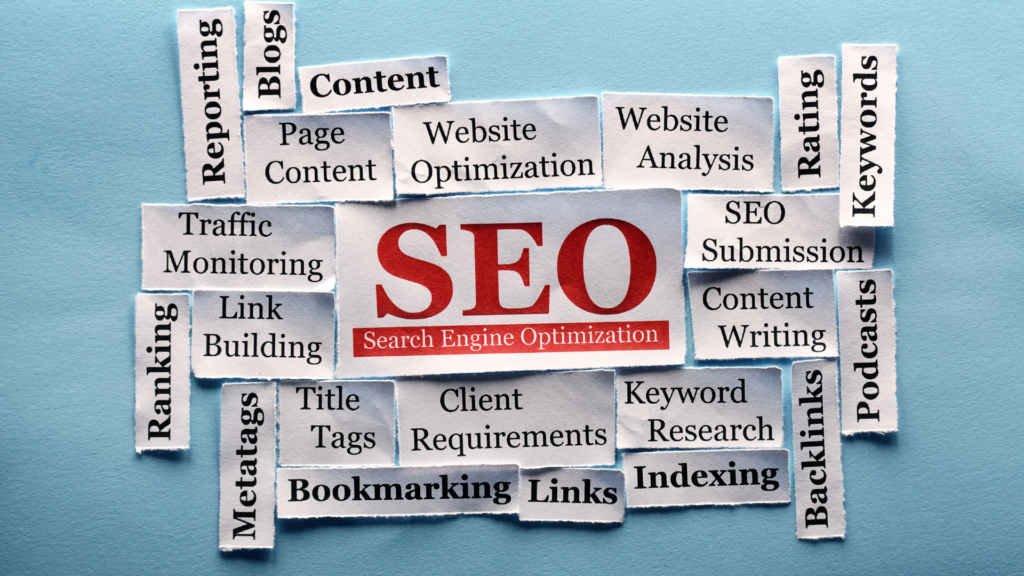
Search Engine Optimization (SEO) helps your WordPress website appear when people search for topics, products, or services related to your business.
A well-optimized website makes it easier for search engines to understand your content and helps users find the right pages.
Start with the basics. Use clear page titles, descriptive URLs, relevant headings, and useful content that matches search intent.
Your content should answer the questions your audience is actually searching for rather than focusing only on adding keywords.
Advantages of SEO
Technical SEO matters too. Make sure your WordPress website loads quickly, works well on mobile devices, uses HTTPS, and provides a clear internal linking structure. Keep your sitemap and indexing settings correctly configured so search engines can crawl and understand your important pages.
Content quality should remain a priority. Publish original information, update outdated articles, add relevant internal links, and use images with descriptive alt text. Strong content gives users a reason to stay on your website and visit other relevant pages.
SEO is not a one-time task. Search trends, competitors, algorithms, and your website can change over time.
Monitor organic traffic, rankings, clicks, indexing, and technical issues regularly to identify areas that need improvement.
For WordPress users, a consistent SEO process combines useful content, solid technical foundations, internal linking, and regular performance monitoring.
This approach helps your website build visibility while keeping the focus on the people you want to reach.
Starting a blog requires structure, content planning, and consistent publishing. Traffic growth depends on content quality, search visibility, and user engagement.
Begin with niche selection.
A focused topic improves search relevance and audience targeting. Avoid broad topics that dilute authority.
Set Up Hosting and Domain
Install WordPress and set up hosting and domain. Choose a clean theme that supports readability and mobile responsiveness.
How to Start a WordPress Blog?
Configure essential settings.
Set permalink structure to a readable format. Install essential WordPress plugins for SEO, caching, and image optimization.
Create core pages
Such as About, Contact, and Privacy Policy. These pages build trust and improve site structure.
Keyword research drives content strategy. Identify search terms with demand and manageable competition. Use them to plan article topics.
Write high-quality content
focused on solving user problems. Use short paragraphs, clear structure, and direct explanations. Avoid keyword stuffing.
On-page SEO for visibility
Optimize titles, meta descriptions, headings, and internal links. Use structured formatting for readability.
Publish consistently.
Regular posting signals activity to search engines and builds audience expectation.
Promote content
through social channels, email lists, and communities. Distribution supports initial traffic growth.
Backlinks improve authority. Earn links through guest posts, collaborations, and useful content that others reference.
Analyze performance
using analytics tools. Track traffic sources, user behavior, and top-performing pages. Adjust content strategy based on data.
Security protects data, rankings, and user trust. A compromised website can lose traffic, get blacklisted, or suffer data leaks. Security focuses on prevention, monitoring, and quick recovery.
Start with strong login protection.
Use unique passwords and enable two-factor authentication. Limit login attempts to prevent brute-force attacks. Avoid default usernames like “admin.”
Old versions contain known vulnerabilities that attackers exploit. Update themes, plugins, and core system files regularly to reduce risk exposure.
Install a security plugin for firewall protection, malware scanning, and activity monitoring. A web application firewall blocks malicious requests before they reach the site.
Use secure hosting with built-in protections such as server-level firewalls and malware detection. Hosting security forms the first barrier against attacks.
Control file permissions.
Incorrect permissions allow unauthorized file changes. Restrict write access where it is not required.
Disable file editing inside the dashboard. This prevents attackers from modifying theme or plugin files if they gain access to the admin panel.
Use SSL encryption to secure data transfer between users and the server. HTTPS protects login credentials and sensitive user data from interception.
Schedule regular backups.
Store backups in external locations such as cloud storage. This allows full recovery after an attack or crash.
Monitor user activity logs. Unusual login patterns or file changes often signal intrusion attempts.
Remove unused WordPress themes and WordPress plugins. Inactive components still pose security risks if not updated.
Website speed affects rankings, SEO, user engagement, and conversions. A slow site increases bounce rate and reduces search visibility. Speed optimization focuses on reducing load time, improving server response, and minimizing resource weight.
Start with hosting.
Shared hosting often limits performance under traffic spikes. A managed WordPress hosting setup provides better caching, optimized server configuration, and faster database handling. Server location closer to your audience reduces latency.
Image optimization plays a major role. Large image files slow down pages. Compress images using tools like WebP conversion and lazy loading so visuals load only when users scroll. Avoid uploading raw high-resolution images directly.
Website Speed
Caching reduces repeated processing.
Page caching stores static versions of pages so the server does not rebuild content for every visit. Browser caching stores assets locally on user devices, reducing repeated downloads. A caching plugin helps automate this layer.
Minification reduces file size. CSS, JavaScript, and HTML files often contain extra spacing and comments. Removing unnecessary characters reduces load time. Combining files also reduces HTTP requests.
Database optimization keeps the site clean.
Post revisions, spam comments, and expired transients slow queries. Regular cleanup improves backend response speed.
A lightweight theme improves performance. Heavy themes with unused features add unnecessary scripts. Choose a performance-focused theme structure.
Content Delivery Network (CDN) distributes files across global servers. Users load content from the nearest server location, improving speed for international traffic.
Reduce plugin overload. Each plugin adds scripts and database calls. Keep only essential plugins and remove inactive ones.
Finding the best WordPress plugins? Stay right here!
WordPress powers millions of websites worldwide, and one of the biggest reasons for its popularity is its plugin ecosystem. Plugins allow you to extend the functionality of your website without writing custom code. Whether you’re running a blog, business website, online store, portfolio, or membership platform, the right plugins can help improve performance, security, SEO, and user experience.
With thousands of plugins available, choosing the right ones can feel overwhelming. Installing too many plugins may slow down your website and create compatibility issues. Instead, focus on selecting high-quality plugins that solve specific problems and provide long-term value.
This guide covers some of the best WordPress plugins every website owner should consider in 2026.
Why WordPress Plugins Matter
Plugins help you customize and enhance your website without hiring developers for every feature.
Common uses for plugins include:
Search engine optimization
Security protection
Website backups
Performance optimization
Contact forms
Ecommerce functionality
Analytics integration
Lead generation
Email marketing
The goal is not to install as many plugins as possible. The goal is to install the right plugins that improve your website while maintaining performance and stability.
Search engine optimization is essential for any website that wants organic traffic.
Rank Math is one of the most popular SEO plugins available today. It provides a wide range of features that help optimize content and improve search visibility.
Key features include:
SEO analysis
XML sitemaps
Schema markup
Meta title management
Meta descriptions
Redirect management
Internal linking tools
Keyword optimization
For beginners, Rank Math simplifies many technical SEO tasks. For advanced users, it offers powerful customization options and automation features.
If you only install one SEO plugin, Rank Math is a strong choice.
Backups are one of the most important parts of website management.
If something goes wrong, a reliable backup can save hours of work and prevent data loss.
UpdraftPlus allows you to:
Create automatic backups
Schedule backups
Store backups remotely
Restore websites quickly
Clone websites
Many website owners overlook backups until they actually need them. Having a backup strategy in place provides peace of mind and protection against unexpected problems.
If you plan to sell products online, WooCommerce is often the first plugin to consider.
WooCommerce transforms a standard WordPress website into a fully functional online store.
Features include:
Product management
Shopping carts
Payment gateways
Shipping options
Inventory management
Order tracking
Its flexibility makes it suitable for both small businesses and large ecommerce operations.
How Many Plugins Should You Install?
There is no perfect number.
Some websites operate smoothly with 10 plugins, while others require 30 or more.
Instead of focusing on quantity, focus on:
Plugin quality
Regular updates
Reliable support
Performance impact
Security reputation
A well-coded plugin is often safer than multiple poorly maintained alternatives.
Tips for Choosing WordPress Plugins
Before installing a plugin, consider the following:
Check Reviews
Read user feedback and ratings.
Verify Updates
Choose plugins that receive regular updates.
Test Compatibility
Make sure the plugin works with your WordPress version and theme.
Avoid Duplicate Features
Installing multiple plugins that perform the same task often creates conflicts.
Monitor Performance
Regularly test website speed and remove plugins that negatively impact performance.
Essential Plugin Stack for Most Websites
A typical website can often operate successfully with:
Rank Math for SEO
WP Rocket for speed
Wordfence for security
UpdraftPlus for backups
WPForms for contact forms
MonsterInsights for analytics
This combination covers many core website management needs.
Final Thoughts
The best WordPress plugins make it possible to build powerful websites without extensive coding knowledge. The key is selecting plugins that improve functionality, performance, and security while avoiding unnecessary complexity.
Start with the essentials, install plugins from trusted developers, and review your plugin stack regularly. A carefully chosen set of plugins can help create a faster, safer, and more effective WordPress website while supporting long-term growth.
WordPress is one of the most SEO-friendly content management systems available today. However, simply launching a WordPress website does not guarantee high search engine rankings. To attract consistent organic traffic, you need to optimize your website for search engines and users alike.
This WordPress SEO guide covers the essential steps to help improve your site’s visibility, increase traffic, and build a strong foundation for long-term growth.
What Is WordPress SEO?
WordPress SEO is the process of optimizing a WordPress website to improve its rankings in search engines such as Google. It involves technical improvements, content optimization, internal linking, site Speed enhancements, and other best practices that help search engines understand your content.
A well-optimized website makes it easier for search engines to crawl, index, and rank your pages for relevant search queries.
WordPress SEO
Why SEO Matters for WordPress Websites
SEO helps your website appear in front of users who are actively searching for information, products, or services related to your content.
Some benefits of SEO include:
Increased organic traffic
Better user experience
Improved brand visibility
Higher conversion opportunities
Long-term traffic growth
Unlike paid advertising, SEO continues to generate traffic long after content is published.
Choose an SEO-Friendly Hosting Provider
Your hosting provider plays a major role in website performance.
These keywords are more focused and often easier to rank for.
Optimize Your Content
Content remains one of the strongest ranking factors.
Every article should include:
A clear title
Helpful information
Proper headings
Relevant keywords
Internal links
Images with alt text
Avoid keyword stuffing.
Instead, write naturally and cover the topic thoroughly.
Search engines reward content that provides genuine value.
Use Heading Structure Properly
Headings improve readability and help search engines understand page structure.
A typical article structure looks like:
H1: Article Title
H2: Main Sections
H3: Subsections
Avoid using headings simply for styling purposes.
Use them to organize information logically.
Create High-Quality Content
Publishing more content does not automatically improve rankings.
Quality matters more than quantity.
Strong content should:
Answer user questions
Solve problems
Be accurate
Be easy to read
Stay updated
Comprehensive guides often perform better than thin content.
Instead of writing five short articles, consider creating one detailed resource.
Improve Internal Linking
Internal links connect pages within your website.
Benefits include:
Better navigation
Improved crawlability
Stronger topical relevance
Distribution of page authority
For example, a WordPress SEO article might link to:
Useful WordPress Plugins
WordPress Speed Optimization
WordPress Security Guide
Internal linking helps users discover more content while strengthening your SEO strategy.
Optimize Images
Large images can slow down your website.
Before uploading images:
Compress file sizes
Use descriptive filenames
Add alt text
Choose appropriate dimensions
Example:
Poor filename: IMG1234.jpg
Better filename: wordpress-seo-checklist.jpg
Alt text helps search engines understand image content and improves accessibility.
Improve Website Speed
Website speed affects both rankings and user experience.
Ways to improve speed include:
Using caching
Optimizing images
Choosing better hosting
Reducing unnecessary plugins
Using a content delivery network
Even small speed improvements can have a positive impact on SEO.
Make Your Website Mobile-Friendly
Most searches now happen on mobile devices.
Your website should:
Adapt to different screen sizes
Load quickly on mobile
Have readable text
Provide easy navigation
Google primarily uses mobile-first indexing, making mobile optimization essential.
Use SSL and HTTPS
Security is an important ranking factor.
HTTPS protects data between users and your website.
Most hosting providers offer free SSL certificates.
If your site still uses HTTP, switching to HTTPS should be a priority.
Generate XML Sitemaps
XML sitemaps help search engines discover your content.
Most SEO plugins automatically generate them.
Submit your sitemap to Google Search Console to help search engines crawl your pages more efficiently.
Add Schema Markup
Schema markup provides additional information about your content.
Common schema types include:
Article
FAQ
Product
Review
Organization
Schema can improve how your content appears in search results.
Build Quality Backlinks
Backlinks remain one of Google’s strongest ranking signals.
Focus on earning links through:
Helpful content
Guest posts
Original research
Resource pages
Industry partnerships
Avoid low-quality link schemes that violate search engine guidelines.
Monitor SEO Performance
SEO is not a one-time task.
Use tools like:
Google Search Console
Google Analytics
SEO plugins
Track:
Rankings
Traffic
Click-through rates
Indexing issues
Regular monitoring helps identify opportunities for improvement.
Common WordPress SEO Mistakes
Many beginners make avoidable mistakes such as:
Ignoring keyword research
Publishing thin content
Using too many plugins
Neglecting internal links
Failing to optimize images
Forgetting mobile optimization
Avoiding these issues can significantly improve performance.
Final Thoughts
WordPress provides an excellent foundation for SEO, but achieving strong rankings requires consistent effort. By focusing on quality content, technical optimization, internal linking, site speed, and user experience, you can build a website that attracts sustainable organic traffic.
SEO is a long-term process. Start with the basics, continue improving your website, and monitor your results regularly. Small improvements made consistently often produce the best results over time.
Hosting serves as the foundation of every WordPress website. The right hosting provider affects speed, uptime, security, and scalability.
Shared vs Managed
Shared hosting works for small websites, while managed WordPress hosting offers optimized environments and advanced support. Evaluate providers based on server performance, backup options, security features, customer support, and pricing.
Speed Necessity
Fast hosting improves user experience and search rankings while reducing technical issues. As traffic grows, scalable hosting resources help maintain performance during peak periods.
Migration Challenges
Choosing quality hosting early prevents migration challenges and supports future website expansion, making it one of the most important decisions for WordPress site owners.