
WordPress is one of the most SEO-friendly content management systems available today. However, simply launching a WordPress website does not guarantee high search engine rankings. To attract consistent organic traffic, you need to optimize your website for search engines and users alike.
This WordPress SEO guide covers the essential steps to help improve your site’s visibility, increase traffic, and build a strong foundation for long-term growth.
Table of Contents
What Is WordPress SEO?
WordPress SEO is the process of optimizing a WordPress website to improve its rankings in search engines such as Google. It involves technical improvements, content optimization, internal linking, site speed enhancements, and other best practices that help search engines understand your content.
A well-optimized website makes it easier for search engines to crawl, index, and rank your pages for relevant search queries.
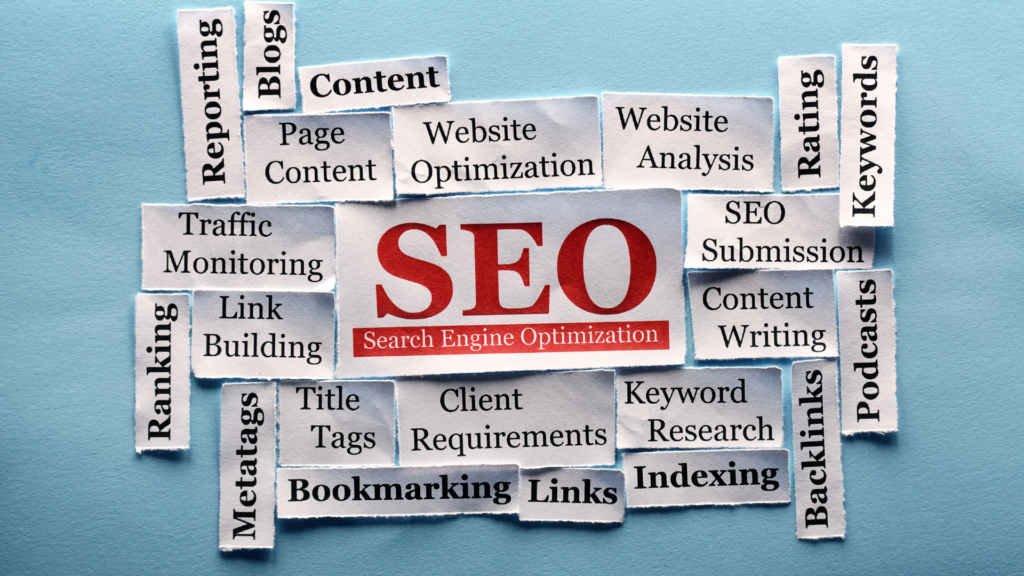
Why SEO Matters for WordPress Websites
SEO helps your website appear in front of users who are actively searching for information, products, or services related to your content.
Some benefits of SEO include:
- Increased organic traffic
- Better user experience
- Improved brand visibility
- Higher conversion opportunities
- Long-term traffic growth
Unlike paid advertising, SEO continues to generate traffic long after content is published.
Choose an SEO-Friendly Hosting Provider
Your hosting provider plays a major role in website performance.
A good hosting company should offer:
- Fast server response times
- High uptime
- SSL certificates
- Automatic backups
- Strong security features
A slow website can negatively affect rankings and user experience.
Install an SEO Plugin
An SEO plugin simplifies many optimization tasks.
Popular options include:
- Rank Math
- Yoast SEO
- All in One SEO
These plugins help manage:
- Meta titles
- Meta descriptions
- XML sitemaps
- Schema markup
- Redirects
- Social sharing settings
For most WordPress users, an SEO plugin is one of the first tools that should be installed.
Configure Permalink Settings
Permalinks are your website’s URL structure.
Go to:
Settings → Permalinks
Select the Post Name structure.
Example:
Good URL:
yourwebsite.com/wordpress-seo-guide
Poor URL:
yourwebsite.com/?p=123
Clean URLs are easier for users and search engines to understand.
Perform Keyword Research
Keyword research helps identify what people are searching for.
Before writing content, look for:
- Search volume
- User intent
- Keyword difficulty
- Related topics
Focus on topics your audience actually wants to learn about.
For example, instead of targeting a broad keyword like “WordPress,” you might target:
- WordPress SEO guide
- Best WordPress plugins
- WordPress speed optimization
These keywords are more focused and often easier to rank for.
Optimize Your Content
Content remains one of the strongest ranking factors.
Every article should include:
- A clear title
- Helpful information
- Proper headings
- Relevant keywords
- Internal links
- Images with alt text
Avoid keyword stuffing.
Instead, write naturally and cover the topic thoroughly.
Search engines reward content that provides genuine value.
Use Heading Structure Properly
Headings improve readability and help search engines understand page structure.
A typical article structure looks like:
H1: Article Title
H2: Main Sections
H3: Subsections
Avoid using headings simply for styling purposes.
Use them to organize information logically.
Create High-Quality Content
Publishing more content does not automatically improve rankings.
Quality matters more than quantity.
Strong content should:
- Answer user questions
- Solve problems
- Be accurate
- Be easy to read
- Stay updated
Comprehensive guides often perform better than thin content.
Instead of writing five short articles, consider creating one detailed resource.
Improve Internal Linking
Internal links connect pages within your website.
Benefits include:
- Better navigation
- Improved crawlability
- Stronger topical relevance
- Distribution of page authority
For example, a WordPress SEO article might link to:
- Best WordPress Plugins
- WordPress Speed Optimization
- WordPress Security Guide
Internal linking helps users discover more content while strengthening your SEO strategy.
Optimize Images
Large images can slow down your website.
Before uploading images:
- Compress file sizes
- Use descriptive filenames
- Add alt text
- Choose appropriate dimensions
Example:
Poor filename:
IMG1234.jpg
Better filename:
wordpress-seo-checklist.jpg
Alt text helps search engines understand image content and improves accessibility.
Improve Website Speed
Website speed affects both rankings and user experience.
Ways to improve speed include:
- Using caching
- Optimizing images
- Choosing better hosting
- Reducing unnecessary plugins
- Using a content delivery network
Even small speed improvements can have a positive impact on SEO.
Make Your Website Mobile-Friendly
Most searches now happen on mobile devices.
Your website should:
- Adapt to different screen sizes
- Load quickly on mobile
- Have readable text
- Provide easy navigation
Google primarily uses mobile-first indexing, making mobile optimization essential.
Use SSL and HTTPS
Security is an important ranking factor.
HTTPS protects data between users and your website.
Most hosting providers offer free SSL certificates.
If your site still uses HTTP, switching to HTTPS should be a priority.
Generate XML Sitemaps
XML sitemaps help search engines discover your content.
Most SEO plugins automatically generate them.
Submit your sitemap to Google Search Console to help search engines crawl your pages more efficiently.
Add Schema Markup
Schema markup provides additional information about your content.
Common schema types include:
- Article
- FAQ
- Product
- Review
- Organization
Schema can improve how your content appears in search results.
Build Quality Backlinks
Backlinks remain one of Google’s strongest ranking signals.
Focus on earning links through:
- Helpful content
- Guest posts
- Original research
- Resource pages
- Industry partnerships
Avoid low-quality link schemes that violate search engine guidelines.
Monitor SEO Performance
SEO is not a one-time task.
Use tools like:
- Google Search Console
- Google Analytics
- SEO plugins
Track:
- Rankings
- Traffic
- Click-through rates
- Indexing issues
Regular monitoring helps identify opportunities for improvement.
Common WordPress SEO Mistakes
Many beginners make avoidable mistakes such as:
- Ignoring keyword research
- Publishing thin content
- Using too many plugins
- Neglecting internal links
- Failing to optimize images
- Forgetting mobile optimization
Avoiding these issues can significantly improve performance.
Final Thoughts
WordPress provides an excellent foundation for SEO, but achieving strong rankings requires consistent effort. By focusing on quality content, technical optimization, internal linking, site speed, and user experience, you can build a website that attracts sustainable organic traffic.
SEO is a long-term process. Start with the basics, continue improving your website, and monitor your results regularly. Small improvements made consistently often produce the best results over time.